 DUTIF
TRAIN. LOG. PROGRESS.
Your strengthjournal.
Build your routines, log every set, and track your progress in one place.
Coming soon to iOS and Android.
INSIDE DUTIF
Your training. All connected.
From your first set to seeing how far you’ve come.
Routines
Your next workout,ready.
Organize your routines into folders and plan your exercises and sets before you train.
Review your volume by session
Compare the total weight you moved each time you did the same routine. The percentage shows the change from the previous session.
Workout
Every set,logged.
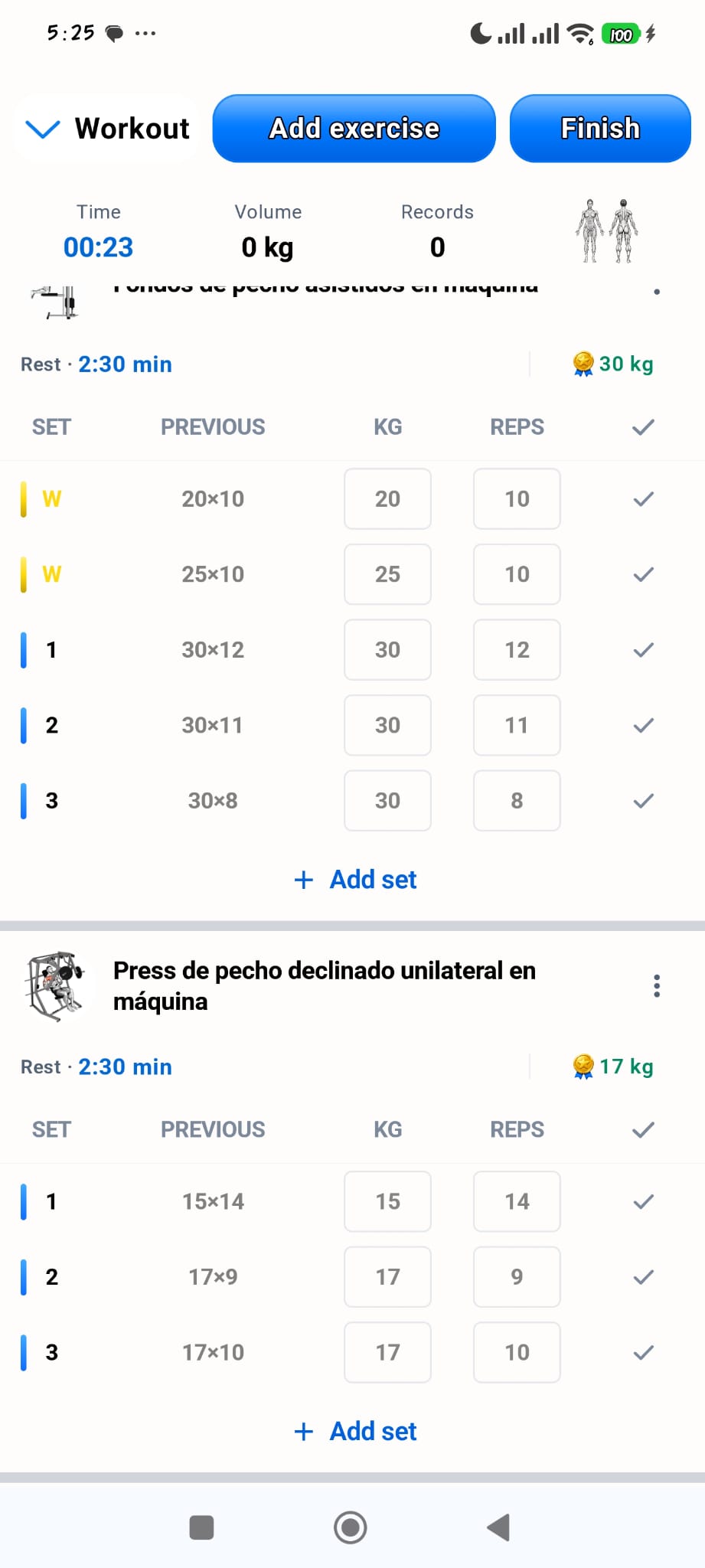
Log your weights and reps, check your previous results, and time your rest between sets.
Log your sets
Enter your weight and reps, then check off each set as you finish it.
Open the exercise menu
Tap the three dots beside an exercise to add a note, change its settings, or reorder your exercises.
Add a reminder
Write down a technique cue or anything you want to remember for your next sets.
Track your progress
The percentage shows how your performance changed for a set. An improvement, such as +28.6%, appears in green.
See your personal records
A single set can earn several records, including the most reps, the highest set volume, or a new estimated one-rep max.
Compare your weights
See the heaviest weight you lifted in each workout and track how it changes over time.
Compare your routine’s volume
Total volume adds up the weight you moved across all sets. A change of −12.4% means you moved less total weight than the last time you did the same routine.
Progress
See how faryou’ve come.
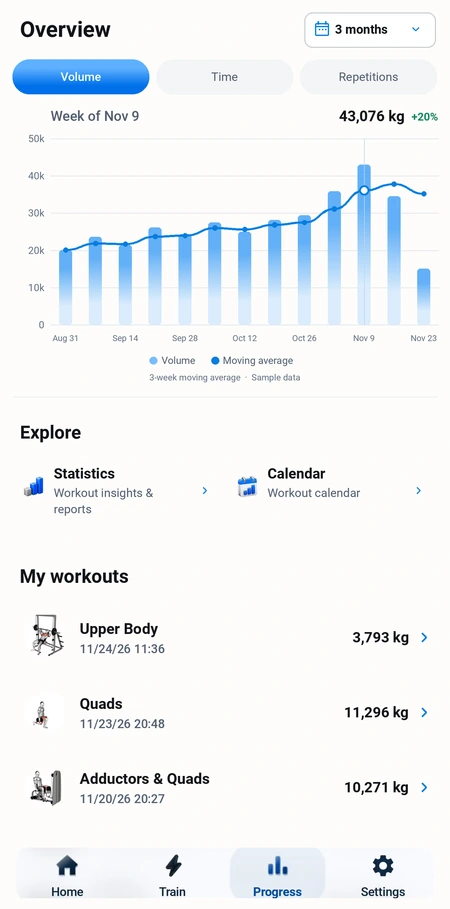
Review your training history and compare your weights, reps, and volume over time.
Explore your calories
Tap a bar to see the estimated calories for that day. Slide across the chart to explore the last seven days.
Review your exercises
Search for an exercise and choose a time period to see your session count, sets, and estimated one-rep max.
Explore your muscle map
See which muscle groups you trained and how your sets were distributed across them.
Revisit your workouts
Browse your workout history by date and open a session to review what you did.
View your workout details
Review your workout time, total volume, estimated calories, and records. You can also check each exercise and its sets.
Share your workout
Choose a card with your workout summary or a personal record. Save it as an image or share it.
Measurements
Progress beyondthe weights.
Log your measurements and save photos to compare how your body changes over time.
Log your measurements
Enter the weight and tape measurements you took on the same day.
See what changed
Save your new measurements to update the model and your estimated body fat percentage.
Find the measuring point
The model shows where to place the tape. Rotate it to see the same point from another angle.
Review your entry
See your measurements for a given date alongside your estimated body composition.
Track your history
Choose a measurement and move across the bars to see its value on each date.
Save your photos
Keep each photo with the date and measurements you recorded that day.
Compare two dates
View both photos at the same scale and see how each measurement changed. The photos shown are illustrative.
Feed & messages
Training is bettershared.
Share your sessions, see how others train, and chat with your friends.
Open your profile
Tap your photo to find your workouts, followers, and privacy settings.
Browse workout posts
Swipe through the photos in a post. You can leave a like or open the full workout from your feed.
Look inside a workout
Explore the muscle breakdown or check the weight and reps for each set.
Check your activity
Find comments, likes, and new followers in one place.
Find your messages
Filter your inbox to see unread chats or check your message requests.
Start a conversation
Search for a contact by name to open a chat and send a message.
Make plans to train
Use the chat to pick a time and decide what to work on together.
Your next chapter.Coming soon.
DUTIF is coming to iOS and Android. You’ll find the download links here when it launches.